 Fuzzzy Core
Know your first plant
One photo, one name, one reminder. Your first plant in six steps.
Step 1
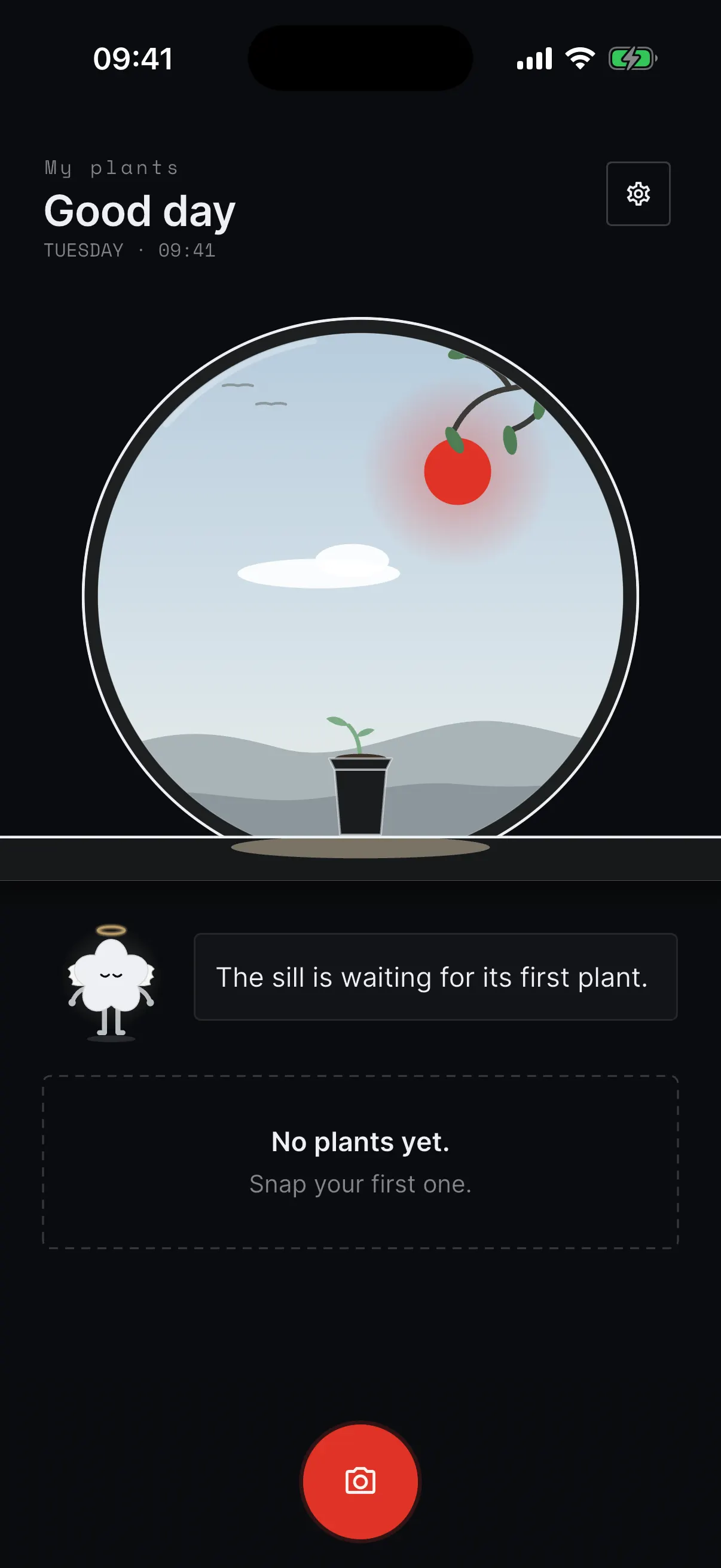
Open Fuzzzy Leaf
Finish the welcome steps and open My plants. Plant readings need an active plan. Your sill is empty for now. Tap the red camera button at the bottom.
Step 2
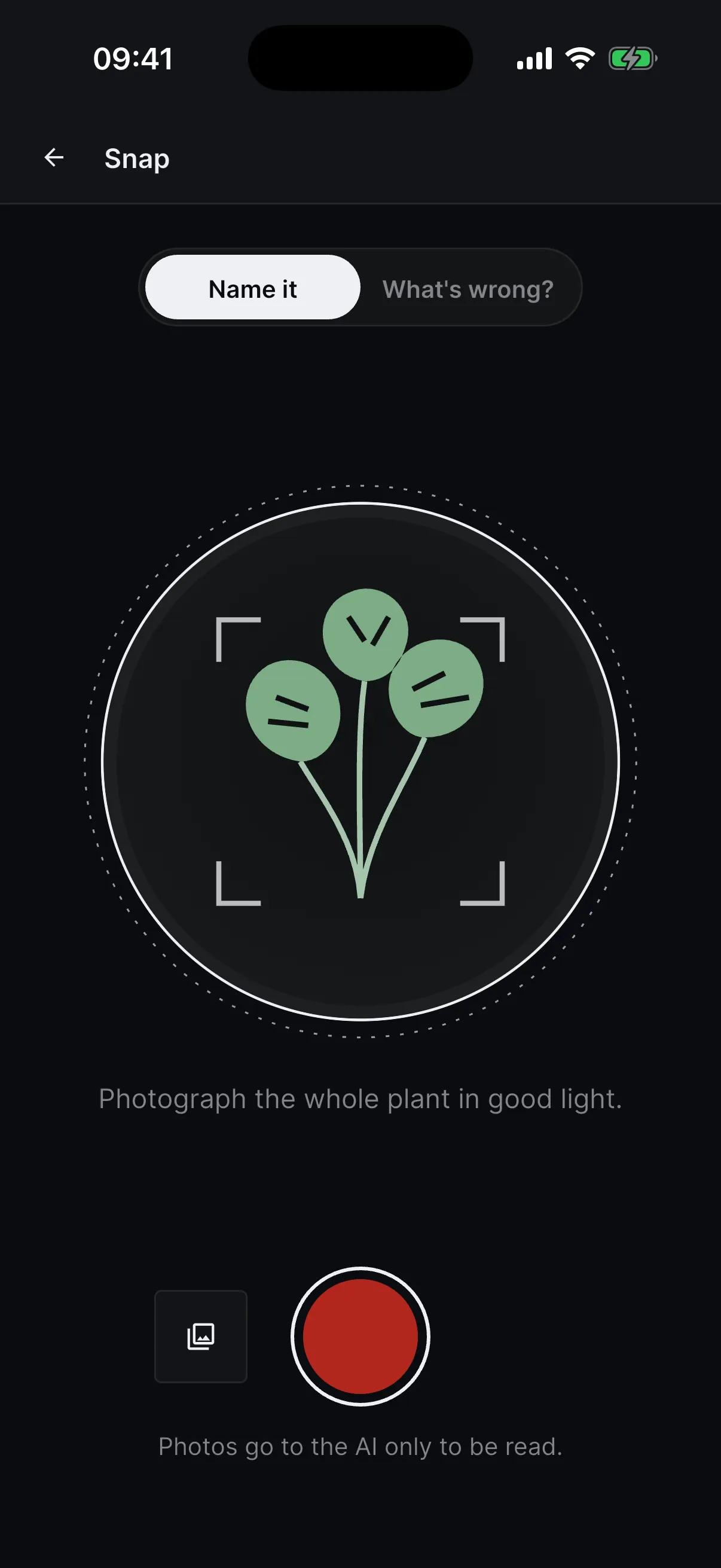
Snap your plant
Keep Name it on. Take a photo of the whole plant in good light, or tap the small picture button to choose one you already have.
Step 3
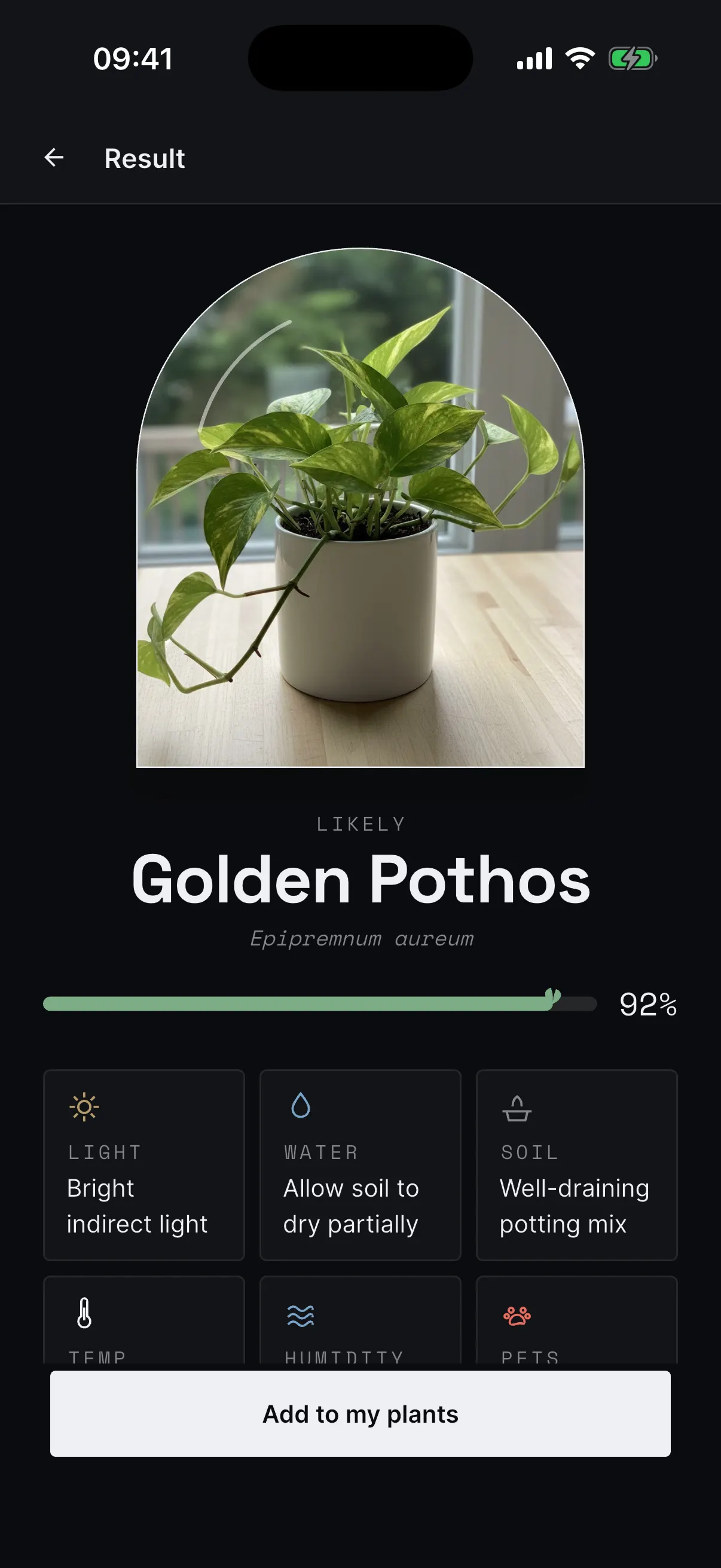
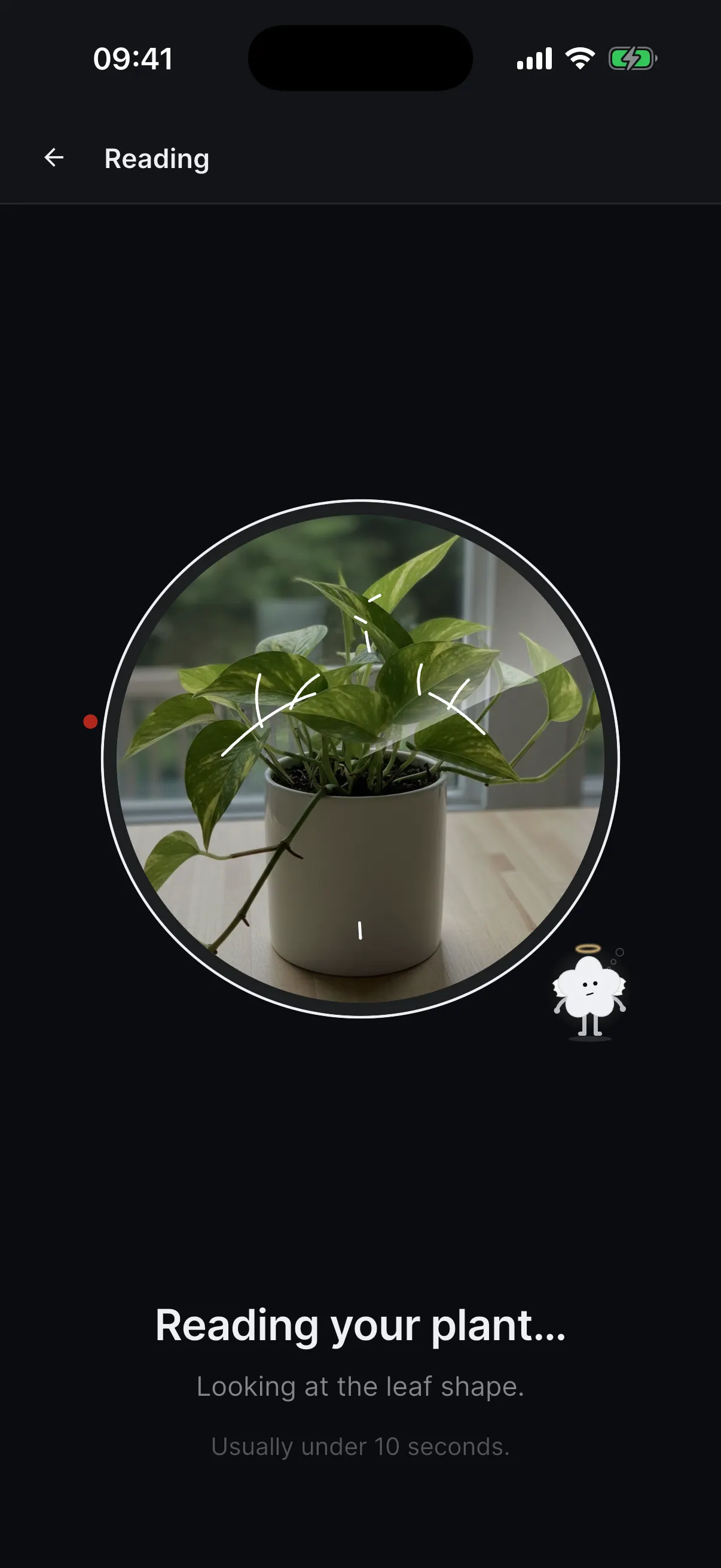
See its name and care
Leaf reads your photo. Then it shows the plant's name and how to care for it. Tap Add to my plants.
Step 4
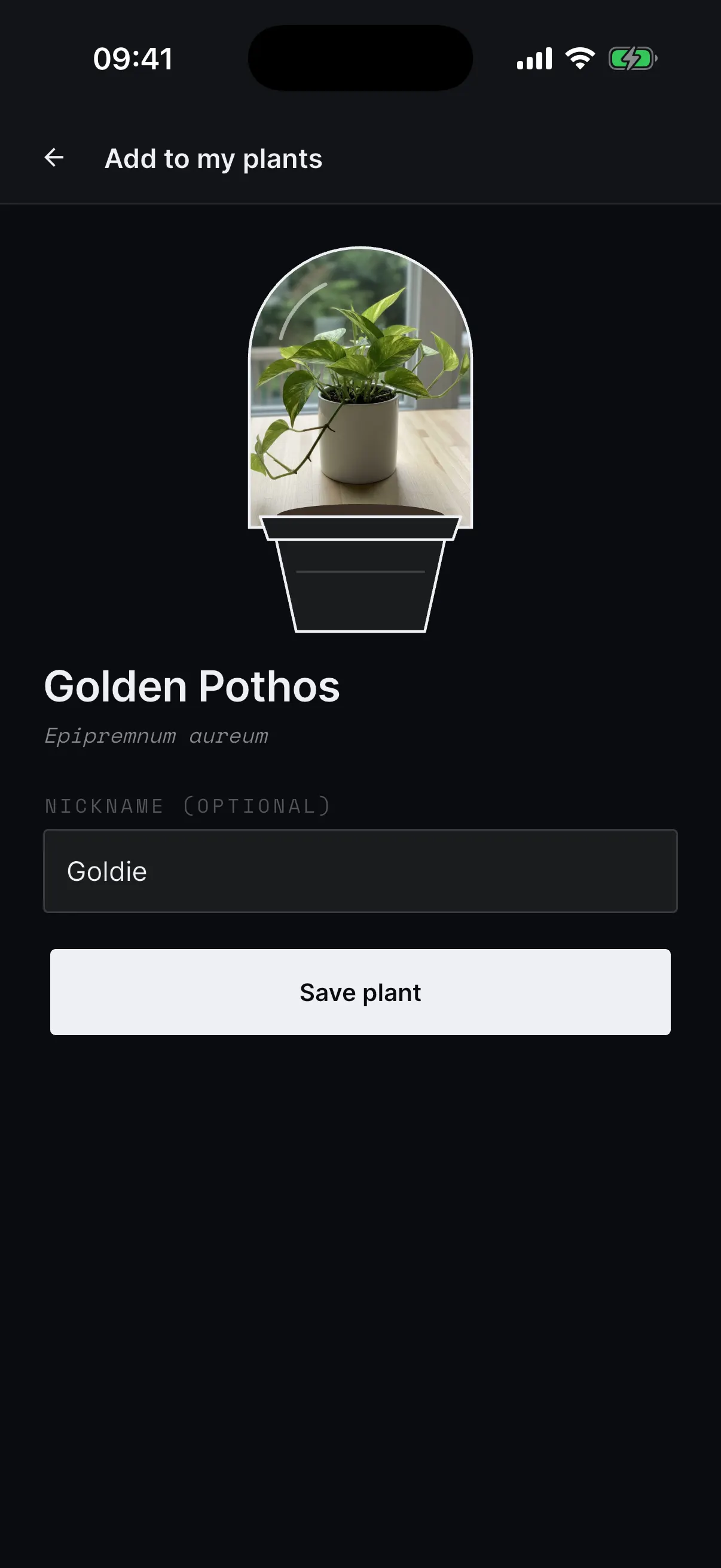
Give it a name
Type a nickname if you like. Then tap Save plant.
Step 5
Let Leaf remind you
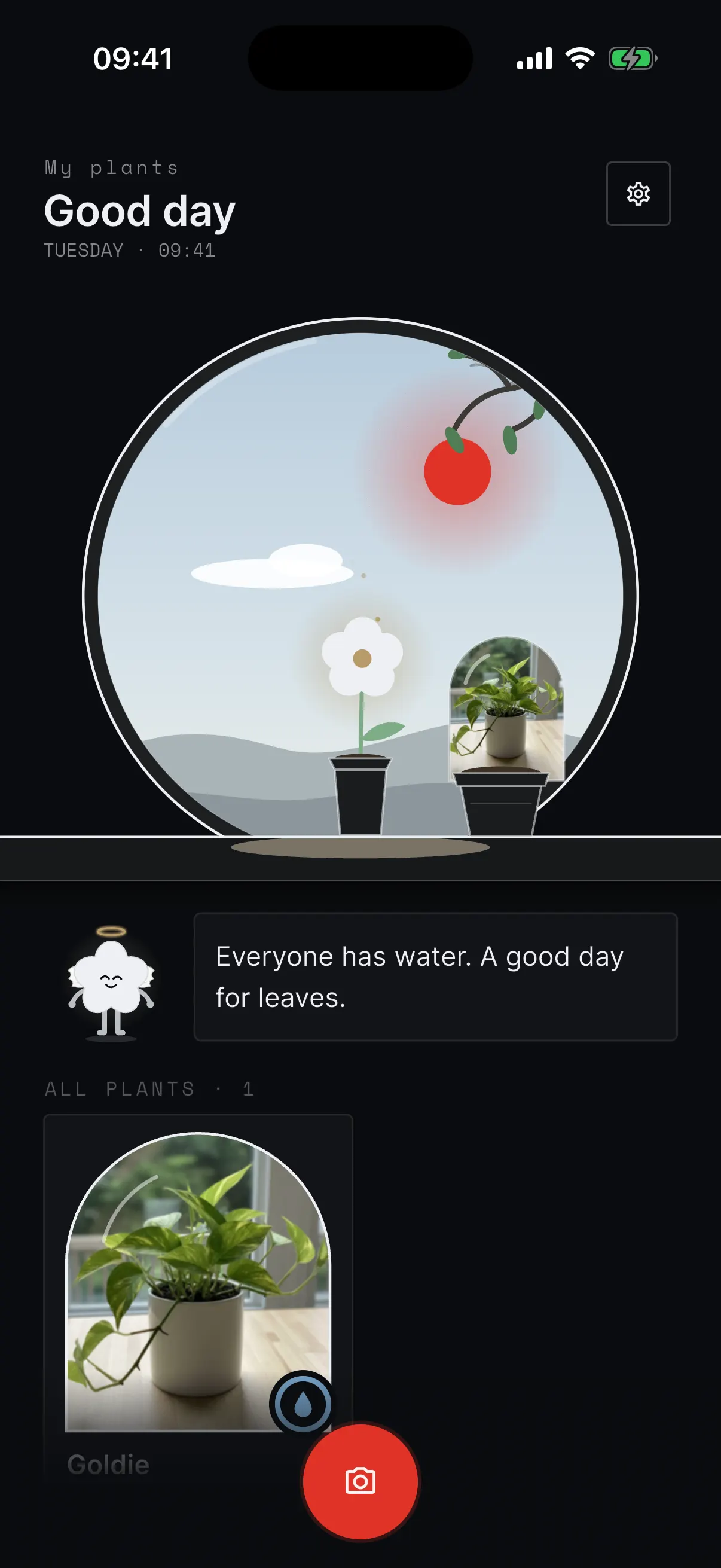
When your phone asks, allow notifications. Now Leaf can tell you when it is time to water. Your plant sits on the sill.
Step 6
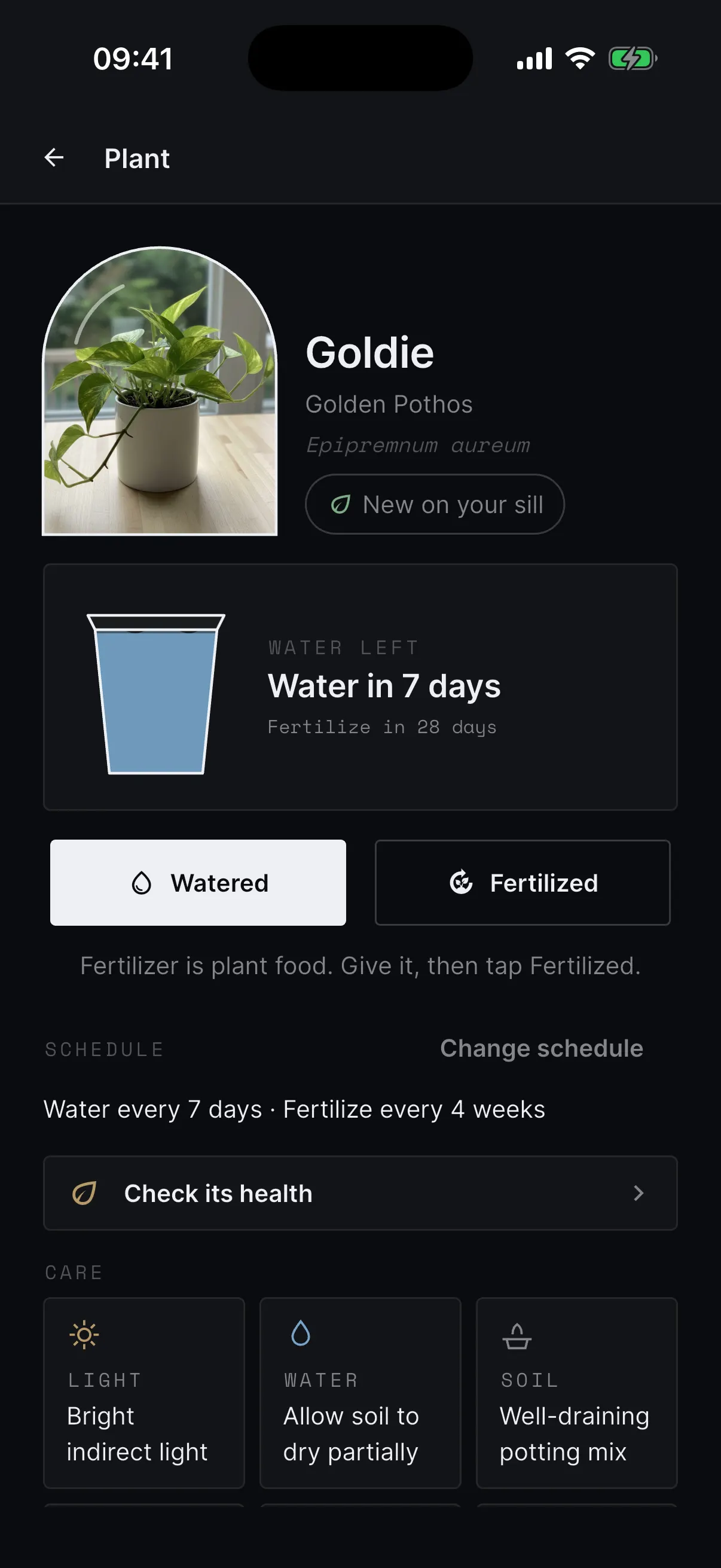
Water on time
Tap your plant to see when it needs water. When you water it, tap Watered.